Ship faster with our advanced task management tools.


 11
11 1
1
Work visually.
Assign tasks to your team in cozy Kanban boards that adapt to your needs. Organize tasks into groups, track progress at a glance, and move forward with drag-and-drop simplicity.
- Drag-and-drop kanban boards — move tasks between columns as work progresses
- Structured list views — see everything in a sortable, filterable table
- Task groups — organize work into logical milestones or sprints
- Progress tracking — visual indicators show how each group is trending
Built for modern, flexible teams.
Invite your team, assign work, and control who sees what. PathPro’s role-based system keeps your internal work private while your community stays connected.
- Invite team members — add teammates and assign them to tasks instantly
- Task assignment — every task has a clear owner so nothing falls through the cracks
- Role-based permissions — admins, team members, and community members each see what they need
- Activity visibility — see who’s working on what across every project
Head of Product. Oversees roadmap planning, feature prioritization, and team coordination across all active projects.
Track. Build. Ship.
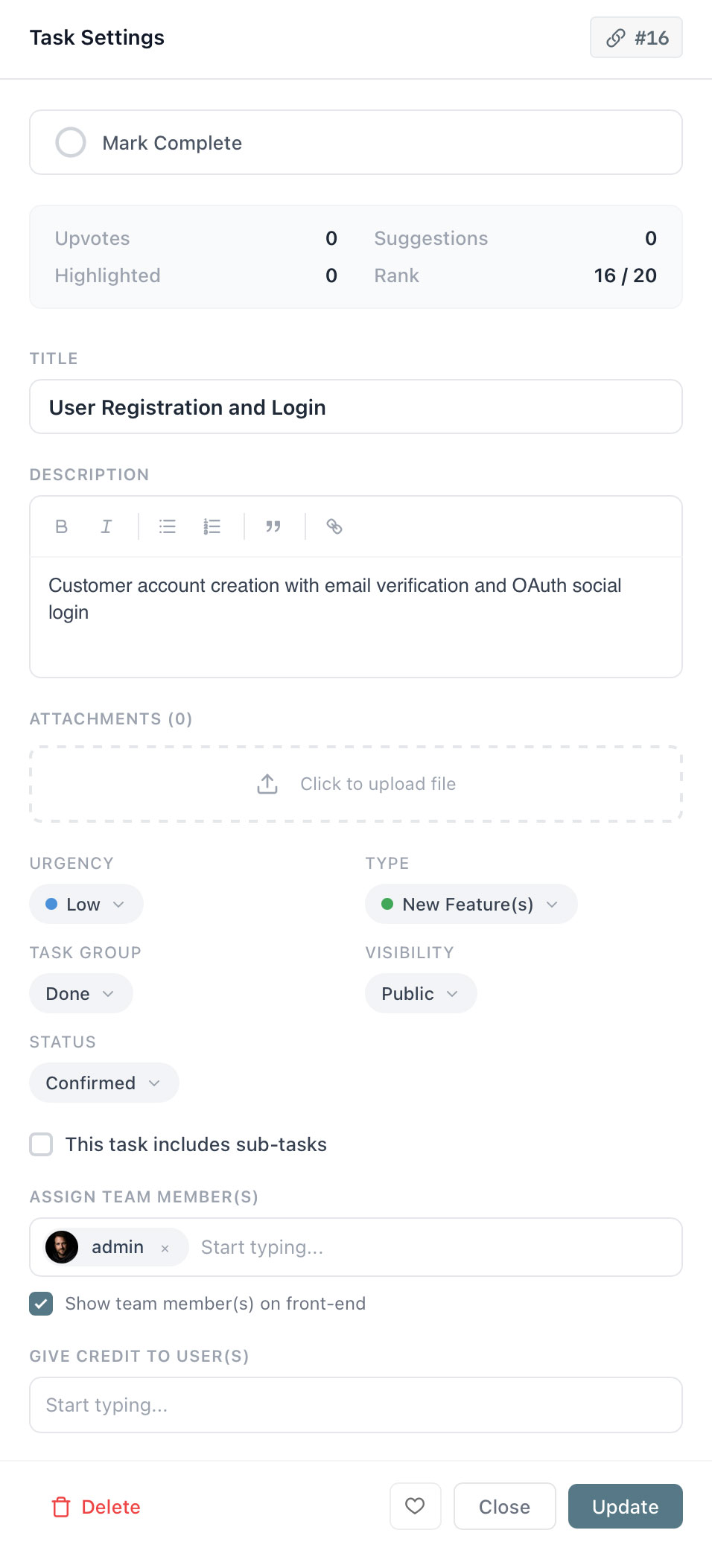
Every task in PathPro holds the full picture — subtasks for breaking work down, priority levels for focus, due dates for accountability, and checklists for the details.
- Subtasks — break complex work into smaller, trackable pieces
- Priority levels — flag what’s urgent so your team knows where to focus
- Due dates — set deadlines and stay accountable without external reminders
- File attachments — share project files on each task and comment
Keep every decision in context.
Discussions happen where the work lives. Threaded conversations on every task mean decisions, context, and history are never lost in a chat app or email thread.
- Threaded discussions — every task has its own conversation thread
- Comment upvoting — surface the most useful replies automatically
- Highlight comments — tag comments for later reference or to emphasize their importance
- AI analysis — PathFoxAI can analyze every conversation to determine sentiment, pain points, and next steps
Feb 24 at 4:30pm
Confirmed on mobile too. Moving this to Done — nice work team.
Engage with your community.
If you choose to make any tasks public in your roadmap, community members can engage directly with your team on a per-task basis — turning passive users into active collaborators.
- Ongoing suggestions — users can offer feedback and ideas as features are actively being built
- Direct access — community members can speak directly to your development team within each task
- Suggestion upvoting — users can upvote suggestions and comments to ensure your team takes notice
Community Member
Feb 25 at 10:42am
Have you considered adding keyboard shortcuts for moving tasks between columns? I use the kanban board daily and it would save a ton of time for power users.
Community Member
Feb 25 at 10:58am
This is exactly what I was thinking too. Upvoted!
Team
Feb 25 at 11:05am
Wow, such great feedback and we’ll definitely be working these ideas into the feature! Thanks everyone!
What if your task board could think?
PathFoxAI analyzes your team’s work patterns, monitors task health, and surfaces insights you’d otherwise miss — so you spend less time managing and more time shipping.

Frequently asked questions
What views are available for tasks?
PathPro supports kanban board and list views. Organize tasks into groups, drag them between columns, and switch views depending on how your team prefers to work.
Can I create subtasks?
Yes. Any task can have subtasks for breaking down complex work. Subtasks have their own assignees, statuses, and due dates while rolling up progress to the parent task.
How does team assignment work?
Assign any team member to a task or subtask. Team members see their assignments across all projects, and admins can view workload distribution at a glance.
Can community members see internal tasks?
No. Tasks are private to your team by default. Community members interact through feature voting and your public roadmap — they never see your internal task boards.
What is PathFox and how does it help with tasks?
PathFox is PathPro’s AI assistant. It analyzes your team’s work patterns, surfaces priority insights, summarizes discussions, and can even automate task creation based on community feedback.
Is task management included in the free plan?
PathPro’s free plan includes basic task management, but does not include advanced features such as file upload or team management.
Ready to build products your users love?
Free forever plan. No credit card required.
Get Started FreeJoin product teams shipping faster with PathPro.
Dark mode is now live on staging. Tested across all major views — looking good so far. Let me know if anything looks off before we push to production.
Just tested the dashboard and settings views — everything looks great. Ship it!